

Appearance
Create a new application
To set up your application go to the My applications section and press the Add application button.
The first thing you need to choose is what type of application you are creating. This is an important choice because it affects which OAuth 2.0 flows are available to your application.
Web: Standard web-application hosted by a web server or similar.
Native: An application that runs natively on a device like a phone, or computer.
Single-Page App (SPA): A web application hosted by the user web-browser.
Service: A backend service, machine-to-machine integration without a user interface.
Marketing: Special type of application used only to market applications on the Visma App Store.
Note that Viskan currently only support Service, which only supports the Client Credentials OAuth 2.0 grant type.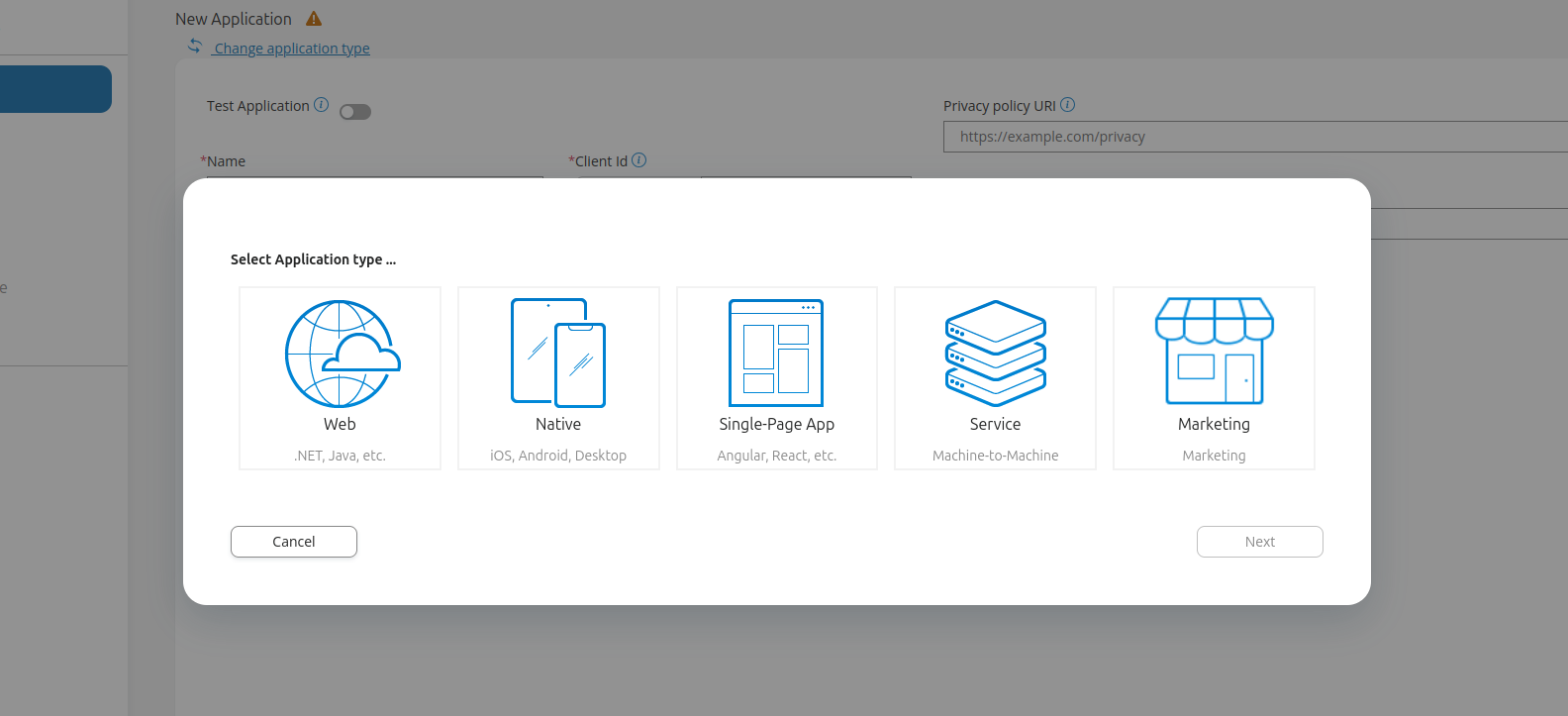
Enter the required information:
Name: Each application needs to have a name, choose a name that describes the application.
Client Id: This is the unique ID of the application, and it always starts withisv_(short for "independant software vendor"). The ID needs to be unique.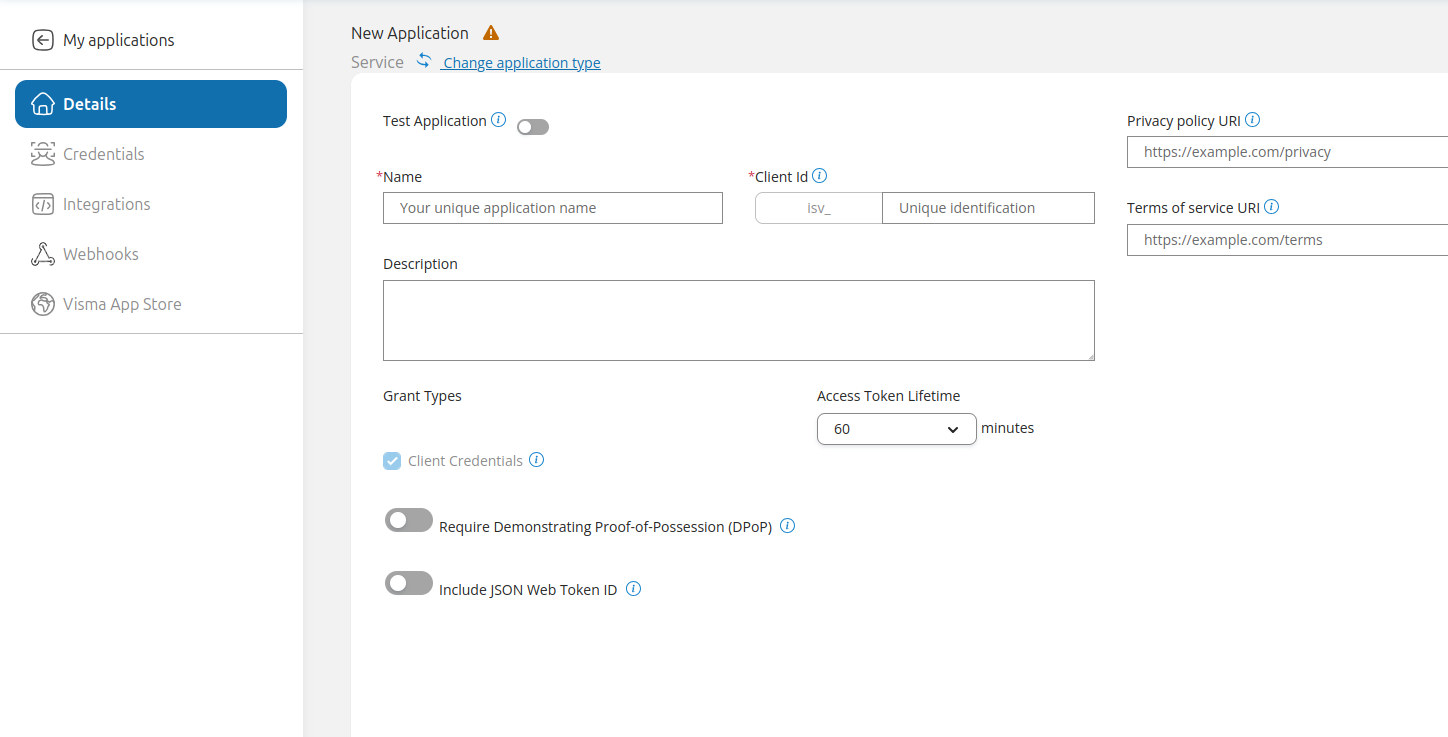
To save the application, press Save as draft and then Create.
When you've set up your application, you can proceed to the next step: "Add integration to Viskan".